Is there anyone here that can give ~ ~ ~ EASY TO FOLLOW ~ ~ ~ instructions on putting an avatar next to username, ~ ~ ~ MUST be EASY to follow, ~ ~ ~ I been trying for 10 yrs. !!!
In the upper-right corner, click Settings, then on the left-hand side of the screen, click Edit Avatar.
You have two options - load the avatar (picture) from a URL (website) or, upload it from your computer. The avatar (picture) can be no larger than 80 by 80 pixels or 19.5 k in size. This means that you must first size the picture you'd like to use to those dimensions using a graphics program --Photoshop or any other graphics program that can scale the image you wish to use to those dimensions.
Obviously, if you are trying to use a big picture, the size and detail will be reduced tremendously. You are better off using a close-up or part of the picture you have, rather than trying to scale the entire image and using it. If you do not know how to do this, send me the image and tell me what you would like to use as the avatar in it and I'll create one for you.
In the upper-right corner, click Settings, then on the left-hand side of the screen, click Edit Avatar.
You have two options - load the avatar (picture) from a URL (website) or, upload it from your computer. The avatar (picture) can be no larger than 80 by 80 pixels or 19.5 k in size. This means that you must first size the picture you'd like to use to those dimensions using a graphics program --Photoshop or any other graphics program that can scale the image you wish to use to those dimensions.
Obviously, if you are trying to use a big picture, the size and detail will be reduced tremendously. You are better off using a close-up or part of the picture you have, rather than trying to scale the entire image and using it. If you do not know how to do this, send me the image and tell me what you would like to use as the avatar in it and I'll create one for you.
That's it in a nutshell.
And how many GPS coordinates will you require to do this work ???:gofish::gofish::gofish:
Keep trying, keep clicking, ~ ~ ~ now comes up, file not found, invalid url, pic size medium 1024x768, total estimated size 230kb, pgn image size 2.51mb, dimensions 2338x1700, file not found, ~ ~ ~ I don't have a college degree, I can't figure this out
It appears that this is something simple to do, ~ ~ ~ just need to find the rite person to explain, ~ ~ ~ IN PLAIN ENGLISH, !!!
SIMPLE ENGLISH HAPPY - YOU NEED TO MAKE BIG PICTURE INTO little picture BEFORE YOU CAN USE IT AS AN AVATAR.
I volunteered to do that for you. It ain't rocket science by any stretch of the imagination.
"Send me the image and I'll create one for you" now JUST HOW do I do that ~ ~ ~ I don't want you to do it for me, I need to do it myself, ~ ~ ~ your 1st reply mite be english to you but it's GREEK to me ~ ~ ~
thats the problem here I've asked others & the same, same, ~ ~ ~ you guys that know how to do this, & other things, ~ ~ ~ just can't explain how to do to someone, just like
That pinch@ Kenny, I asked him one time how to post a pic. & same thing, ~ ~ ~ 10 hrs. later he still didn't know what he was doing, ~ ~ ~ just like his fishing !!!
Happy,
Take the picture you want to use as an avatar and put it in your documents. Name it what you want. Write an e-mail to Stuart. Click on the paper clip symbol at the top of the letter. That will open your document page. Look for the file name that you named your picture. Click on that and it will attach itself to Stuart's e-mail you wrote. Hit send. Stuart will resize your pic so it will fit and e-mail it back to you. Click on the new pic that Stuart sent you back in his e-mail. Hit save as and name it something different than you named the first one. Then save it. Go to the forum and follow Stuart's directions. I'm sure you can do it then.
HAPPY wasn't kidding Chari, I did spend a lot of time trying to teach him how to post a picture here on our Form. This is what I looked like afterward.:hairout:
Happy,
Take the picture you want to use as an avatar and put it in your documents. Name it what you want. Write an e-mail to Stuart. Click on the paper clip symbol at the top of the letter. That will open your document page. Look for the file name that you named your picture. Click on that and it will attach itself to Stuart's e-mail you wrote. Hit send. Stuart will resize your pic so it will fit and e-mail it back to you. Click on the new pic that Stuart sent you back in his e-mail. Hit save as and name it something different than you named the first one. Then save it. Go to the forum and follow Stuart's directions. I'm sure you can do it then.
I do have some pics. in documents, each has a # under it, when I go to enter the #of pic. that I want to use, a window comes up says... access is denied,.... this happens also when I go to settings & try that way... & I don't know how to name a pic,... but if Stuart does it for me, I still don't know how to do...
Happy,
Take the picture you want to use as an avatar and put it in your documents. Name it what you want. Write an e-mail to Stuart. Click on the paper clip symbol at the top of the letter. That will open your document page. Look for the file name that you named your picture. Click on that and it will attach itself to Stuart's e-mail you wrote. Hit send. Stuart will resize your pic so it will fit and e-mail it back to you. Click on the new pic that Stuart sent you back in his e-mail. Hit save as and name it something different than you named the first one. Then save it. Go to the forum and follow Stuart's directions. I'm sure you can do it then.
I went & renamed them, I know how to name them, I was thinking of something else, thanks you guys for the help, I just changed my mind ~ ~ ~ I don't need a avatar, more trouble than it's worth,
Well Happy,
You have to name it before you can send it. When we both go to PP together, I will try to help you. PM me when you are going. I'll be there Presidents Day weekend.
Happy? My only suggestion at this point is go take a couple computer classes at your local community college. Technology is obviously leaving you in the dust. It truly is a very simple thing to do and not cloaked in mystery or anything else.
Happy I was shocked when I saw that. Ke tanto pedo por eso...Hey do you know how much time lagrimas got? Also you know Its is a status symbol when you get banned...Anyway what was going to be your avatar?
Happy I was shocked when I saw that. Ke tanto pedo por eso...Hey do you know how much time lagrimas got? Also you know Its is a status symbol when you get banned...Anyway what was going to be your avatar?
```Yeah, but It's kind of cute, ``` I don't know how much time lagrimas got, thought you would know, ``` it IS a status symbol, I'm quite proud of my record, ``` the avatar I'm going to use is of a Mahi that I have tattooed on my calf ```
```Me Gustan Las Chicas Cochinas``` ~ ~ ~ "I like The Nasty Girls"
Happy I take all my digital pictures in high quality.... I will try to speak english not computer talk OK as I know what your feeling.... when someone helps you do something on a computer ! sometimes it comes with a attitude of see now that's so easy crap comments... but they did it so fast i didnt learn crap !!!!!
I had a lot of that in the work places and told them hey I am not calling your butt down the hall every time I want to do anything on the computer !!!!! so show me in real simple terms then go back to your office !!!!
Ok back to pictures..... High quality pictures are to large in DOTS to email or post online like avatar... I found a simple solution to that problem :-) 1. find the picture you want to post and left click it and hold the left click button down dont let it go and with your mouse drag in to any open area of your desktop. Let go of the left click and it will be on your desktop. Now you can find that picture easy !
2. this is the best and easiest free program I have every used to make the pictures you have all compressed in to Less DOTS so they can be emailed or used any where online (avatar) just click this link below and when that page opens click download (pixresizer) when its done downloading there be a symbol link deal on your desktop. Pixresizer.
3. Click the pixersizer icon, link, program or deal on your desktop. it will ask you to select (download) a picture and browse your desktop for the picture u put there earlier and search your desktop for the picture. click on your picture twice.... double click.....
4 it will appear in the pixresizer box... when u get it in the little box on pixersizer your home free dude :-)
5 then on that same page below your picture click save, save it to desktop and thats it !!!!! its now ready to use anywhere online and will appear on your desktop with a added title name of bla bla bla (600x450)
6. once u do this once I swear you never have to ask anyone every again how to fix a picture so u can use it on avatar !!!!!!!!!!!!!!! yes free free at last from the geek attitude or just send it to me i fix it deal
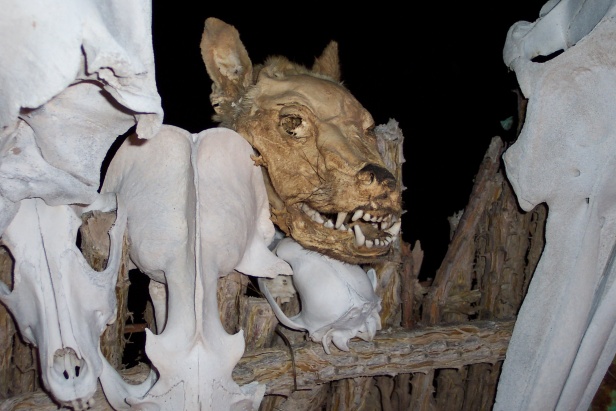
Happy - your new avatar is from Puerto Lobos last weekend. Enjoy. Full size pic here:
``` Stuart, Stuart, :har: ``` I'm trying to laugh but I can't, ``` :lol: trying to figure out what it is,
wolf ? ``` My wife says she likes the ``` HAPPY``` meal bag better, ```
Happy I take all my digital pictures in high quality.... I will try to speak english not computer talk OK as I know what your feeling.... when someone helps you do something on a computer ! sometimes it comes with a attitude of see now that's so easy crap comments... but they did it so fast i didnt learn crap !!!!!
I had a lot of that in the work places and told them hey I am not calling your butt down the hall every time I want to do anything on the computer !!!!! so show me in real simple terms then go back to your office !!!!
Ok back to pictures..... High quality pictures are to large in DOTS to email or post online like avatar... I found a simple solution to that problem :-) 1. find the picture you want to post and left click it and hold the left click button down dont let it go and with your mouse drag in to any open area of your desktop. Let go of the left click and it will be on your desktop. Now you can find that picture easy !
2. this is the best and easiest free program I have every used to make the pictures you have all compressed in to Less DOTS so they can be emailed or used any where online (avatar) just click this link below and when that page opens click download (pixresizer) when its done downloading there be a symbol link deal on your desktop. Pixresizer.
3. Click the pixersizer icon, link, program or deal on your desktop. it will ask you to select (download) a picture and browse your desktop for the picture u put there earlier and search your desktop for the picture. click on your picture twice.... double click.....
4 it will appear in the pixresizer box... when u get it in the little box on pixersizer your home free dude :-)
5 then on that same page below your picture click save, save it to desktop and thats it !!!!! its now ready to use anywhere online and will appear on your desktop with a added title name of bla bla bla (600x450)
6. once u do this once I swear you never have to ask anyone every again how to fix a picture so u can use it on avatar !!!!!!!!!!!!!!! yes free free at last from the geek attitude or just send it to me i fix it deal
Well my friends, ~ ~ ~ I GOT IT ! ! ! ~ ~ ~ I can do avatars, :lol: :lol: :lol:
~ ~ ~ This one is a pic. of my wife on board our boat the ``` Tecate Runner ``` fighting a pelican for a fish, ``` and she ```DID WIN THIS FIGHT ``` ~ ~ ~ she wacked that bird with rod till it let go ! ! !
You just ```DON'T ```mess with anyone on board the ``` Tecate Runner ``` :lol: :lol: :lol:
```I Like Nasty Girls ```
``` PS ``` I have to thank ``` Tomcat ``` for all his help & ``` PATIENCE ``` ! ! !
in showing me how to do this, ( avatars thing ) ``` and offers from others along the way ```
Well I needed a hair cut anyway so pulling a few hairs out was no problem helping Happy do his own Avatar.... We sometime forget the words like pixels are not in every ones English vocabulary ! I helped Happy learn by slowing way way down and trying to step in his shoes..... Yes Patience was needed but we all had to learn this stuff one step at a time ourselves correct..... Cheers Happy I like yummy girls :-) I lost a few hairs lately building my first website so Cheers to figuring it out ourselves and not having to ask for help every time we take on a new challenge... My Yummy girl website just a few weeks work so far and a hand full of hair lose.... Click.... https://sites.google.com/site/cebupersonaltourguide/
Well I needed a hair cut anyway so pulling a few hairs out was no problem helping Happy do his own Avatar.... We sometime forget the words like pixels are not in every ones English vocabulary ! I helped Happy learn by slowing way way down and trying to step in his shoes..... Yes Patience was needed but we all had to learn this stuff one step at a time ourselves correct..... Cheers Happy I like yummy girls :-) I lost a few hairs lately building my first website so Cheers to figuring it out ourselves and not having to ask for help every time we take on a new challenge... My Yummy girl website just a few weeks work so far and a hand full of hair lose.... Click.... https://sites.google.com/site/cebupersonaltourguide/
```Hey Tomcat,
Very nice site, takes me back 50 yrs. ( when I did 3 tours overseas, ) the Philippines, was there 6 times, ARE a special place, and the GIRLS wow```I left some SPECIAL ones there, ```
``` When the ship left for the last time with me on it, ``` I left a few waving & crying ```
``` And you know what ``` 50 yrs. later ``` sometimes late at nite ``` I can STILL hear them crying ! ! !
Yeah Happy... only someone that's been to the Philippines can say those words you said.... My last trip there was 2 years ago and with all my trips there I truly believe that place and those women are running through my veins forever... 2 years or 50 years !!!! its a place and a people that can't ever be forgotten..... I bet you still smile when you say Philippines.... and your eyes and mind wander off to another place and time :-)
HAPPY said:
```Hey Tomcat,
Very nice site, takes me back 50 yrs. ( when I did 3 tours overseas, ) the Philippines, was there 6 times, ARE a special place, and the GIRLS wow```I left some SPECIAL ones there, ```
``` When the ship left for the last time with me on it, ``` I left a few waving & crying ```
``` And you know what ``` 50 yrs. later ``` sometimes late at nite ``` I can STILL hear them crying ! ! !
LOL I have got to meet Happy and you guys in person someday soon LOL Right now I am hoping Stuart doesn't get mad at me for showing Happy how to compress pictures so he can upload them online.... Imagine Happy's naughty X girlfriends pic's poping up in post !!!!!!!! So sorry Stuart !!!!! Happy is on the lose now with a new toy (PIXresizer) :party::party::party:
Tomcat please accept my apology for calling you a pom pom girl. It was unjustified. I had to kill that vine so you were my scapegoat.
Hey it could have been worse, I could of said Cheerleader.
PS
I'll send HAPPY some pics of some 2011 Chicas from Brazil!!!
After looking at where and when I made that post I can see how you might think I was cheering someone on but I wasn't ! I was just being my silly warped self.... apology excepted... a cheerleader !!!!!!!!!!! I could win the ugliest cheerleader of the year award cool :) Brazil babes ? I will wait to see what Happy does with those pic's in hand :rofl:Cheers Playa....
playaperro said:
Tomcat please accept my apology for calling you a pom pom girl. It was unjustified. I had to kill that vine so you were my scapegoat.
Hey it could have been worse, I could of said Cheerleader.
PS
I'll send HAPPY some pics of some 2011 Chicas from Brazil!!!